New in Turff: rep scorecards, an order that follows you, and the market week by week
Brands can now build their own rep scorecard, set targets in cases, and see Competitive Intelligence week by week. Retailers get an order that follows them from page to page, a budget on every order, and the whole catalogue to browse. SEO title: New in Turff: Rep Scorecards, Smarter Ordering, Weekl
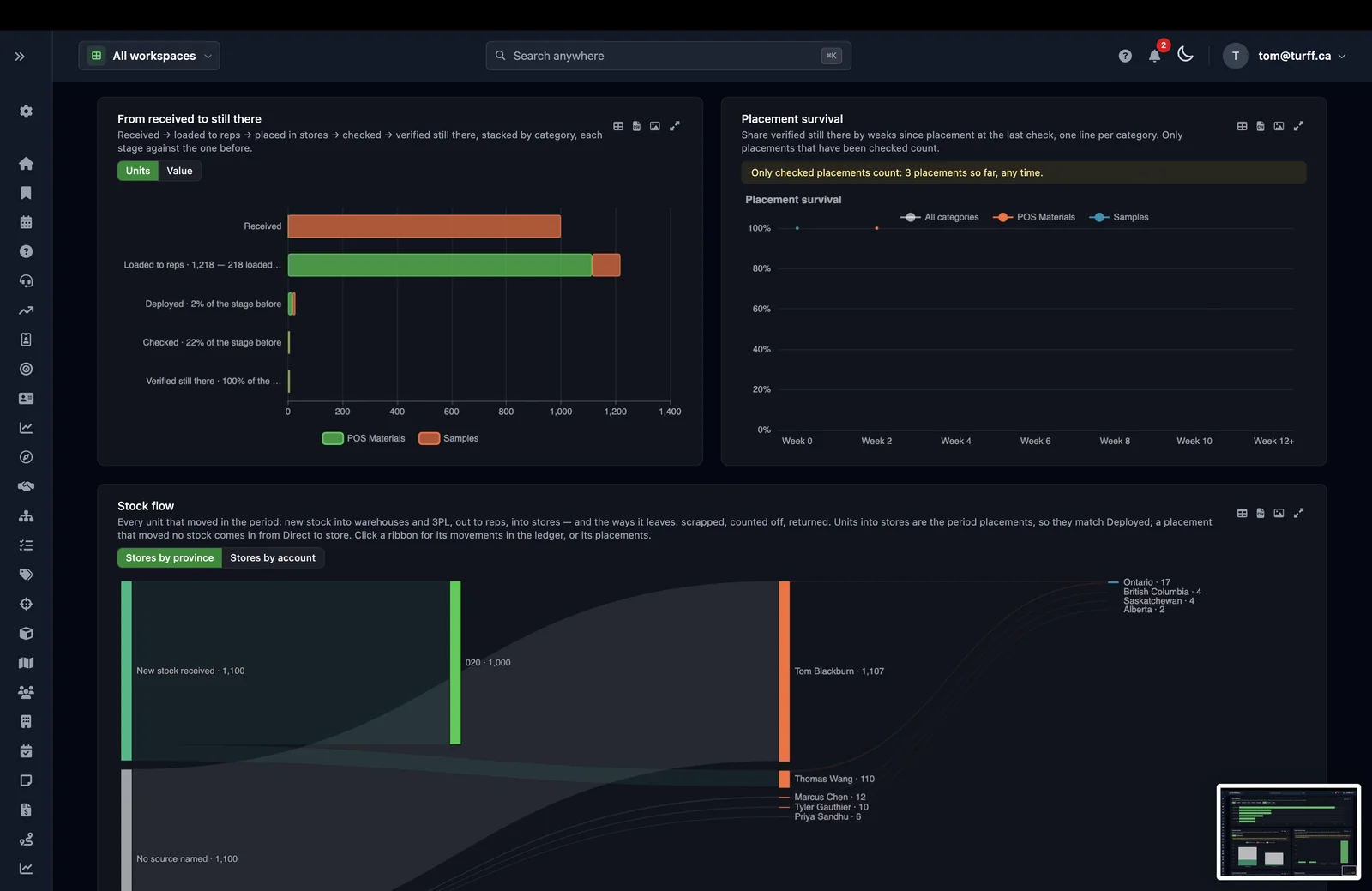
Here is what reached Turff since our last update on September 25. Brands get a rep scorecard they design themselves, targets they can enter in cases, a rebuilt Trade Management and Competitive Intelligence week by week. Retailers get an order that follows them from page to page, a budget on every order, and every product they can order in one place to browse.
For brands Build your own rep scorecard
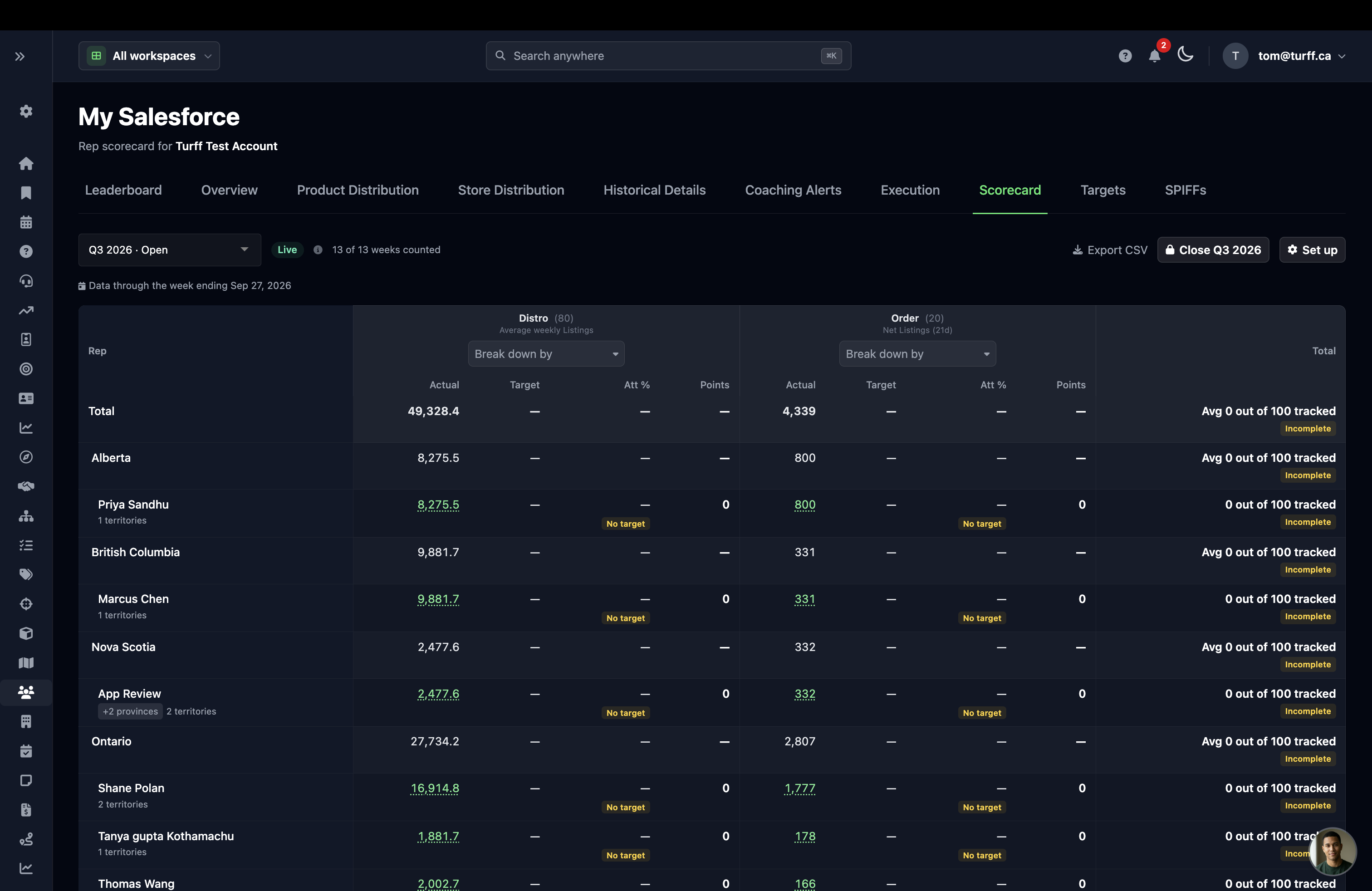
A new Scorecard tab in My Salesforce scores every rep on what matters to you: distribution, share, sales, velocity, trade and more. You choose the buckets and how much each one counts. Set a company target for the quarter and split it across your reps, break any bucket down by province or by your own segments, and close the quarter to lock the scores in. Reps see only their own card, and only once you turn it on for them.
Available on Growth, Professional and Enterprise plans.
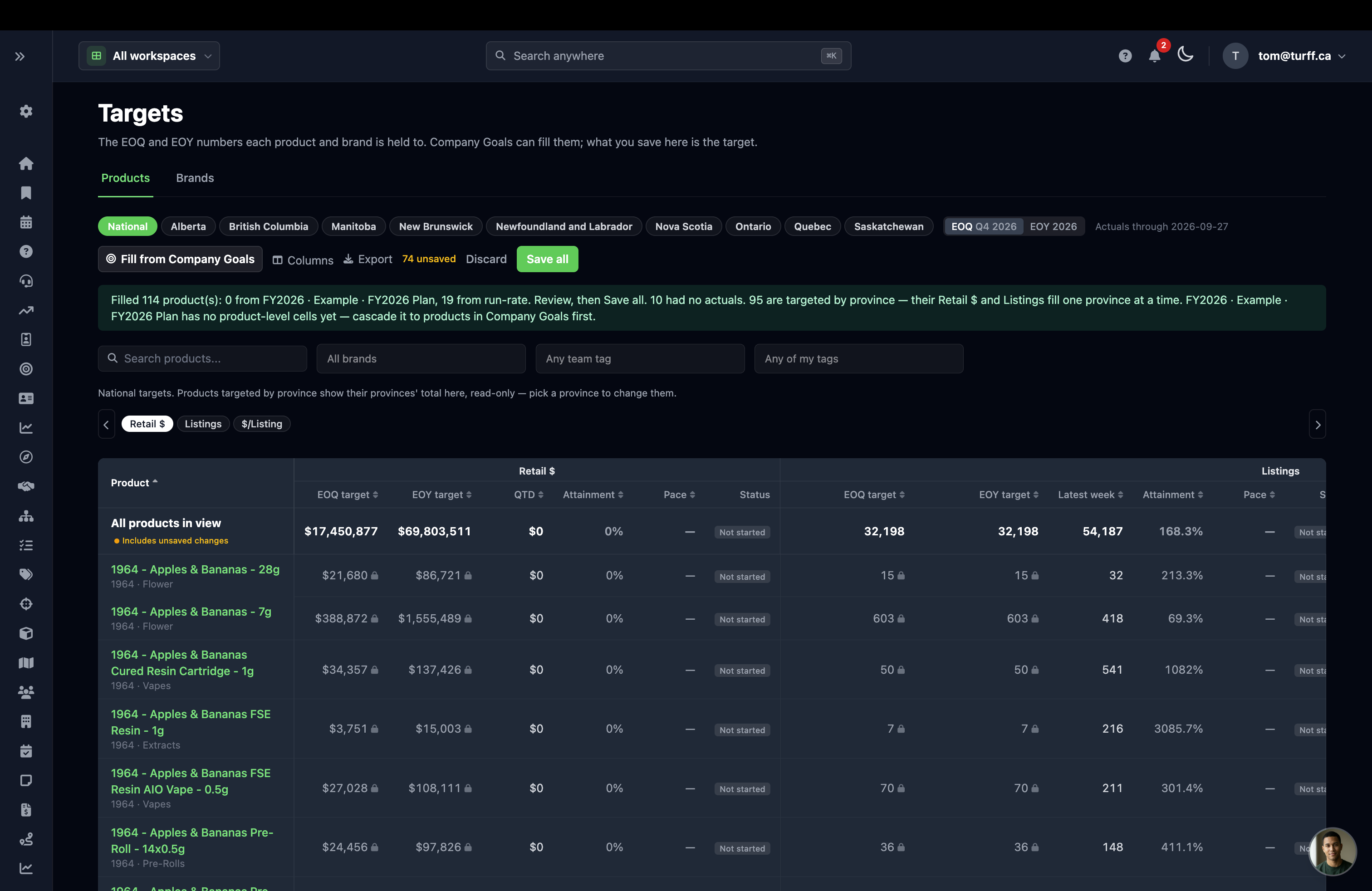
Targets in cases Enter a units target in master cases on the Targets grid and Turff fills in the retail and wholesale dollars for you. The units columns show case size, board price and the last 13 weeks' retail price, on screen and in the CSV.
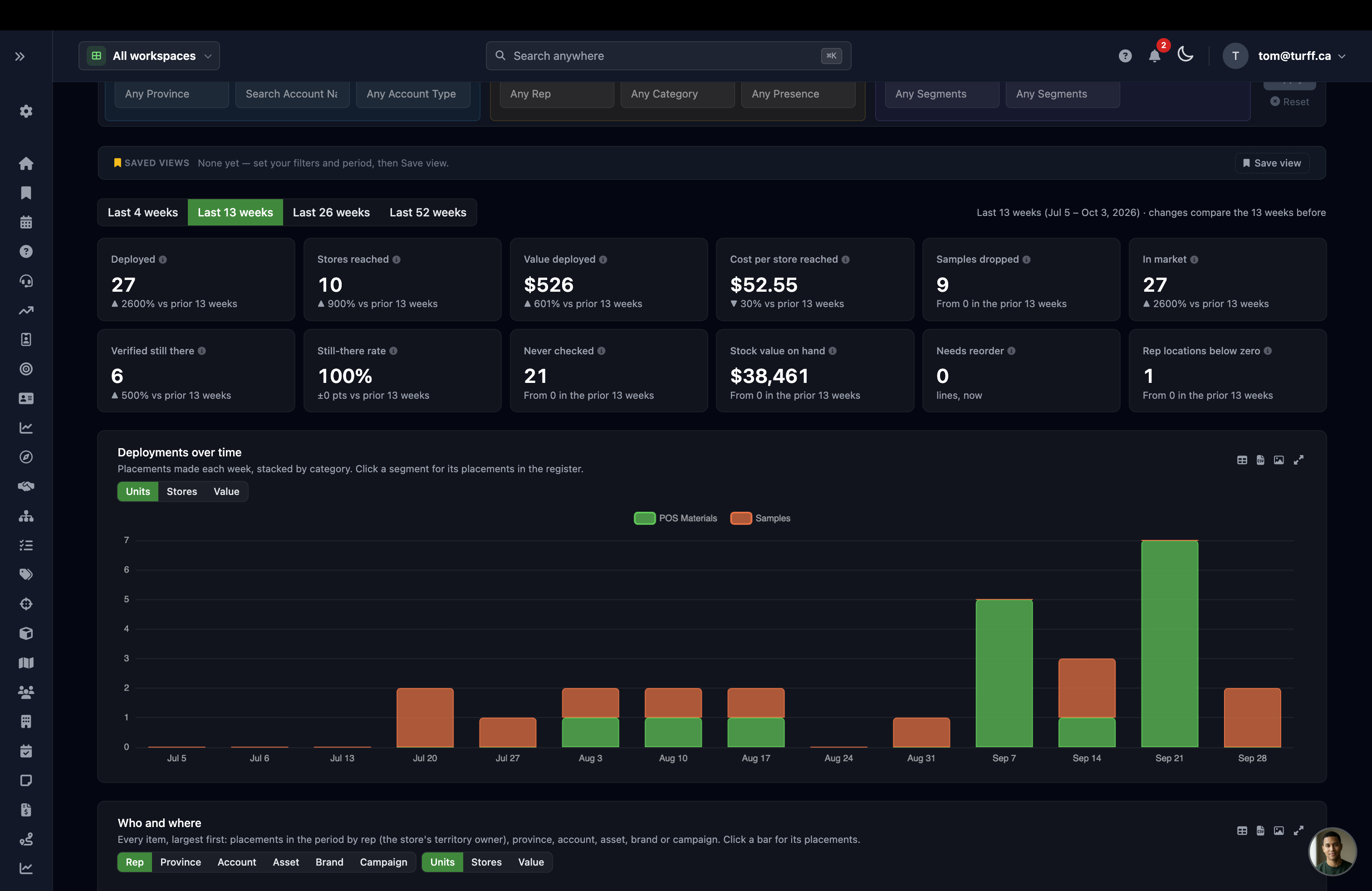
Trade Management, rebuilt See every display, merch item and sample your team has placed, across every store, in one list. Filter by rep, region or date, open any placement to see its photos and the visit it came from, and download it to CSV or Excel. A one-click Sample compliance view gives you an audit-ready list of every sample drop with the store, licence, lot and contact. Stock by location, a full movement history and an analytics overview round it out.
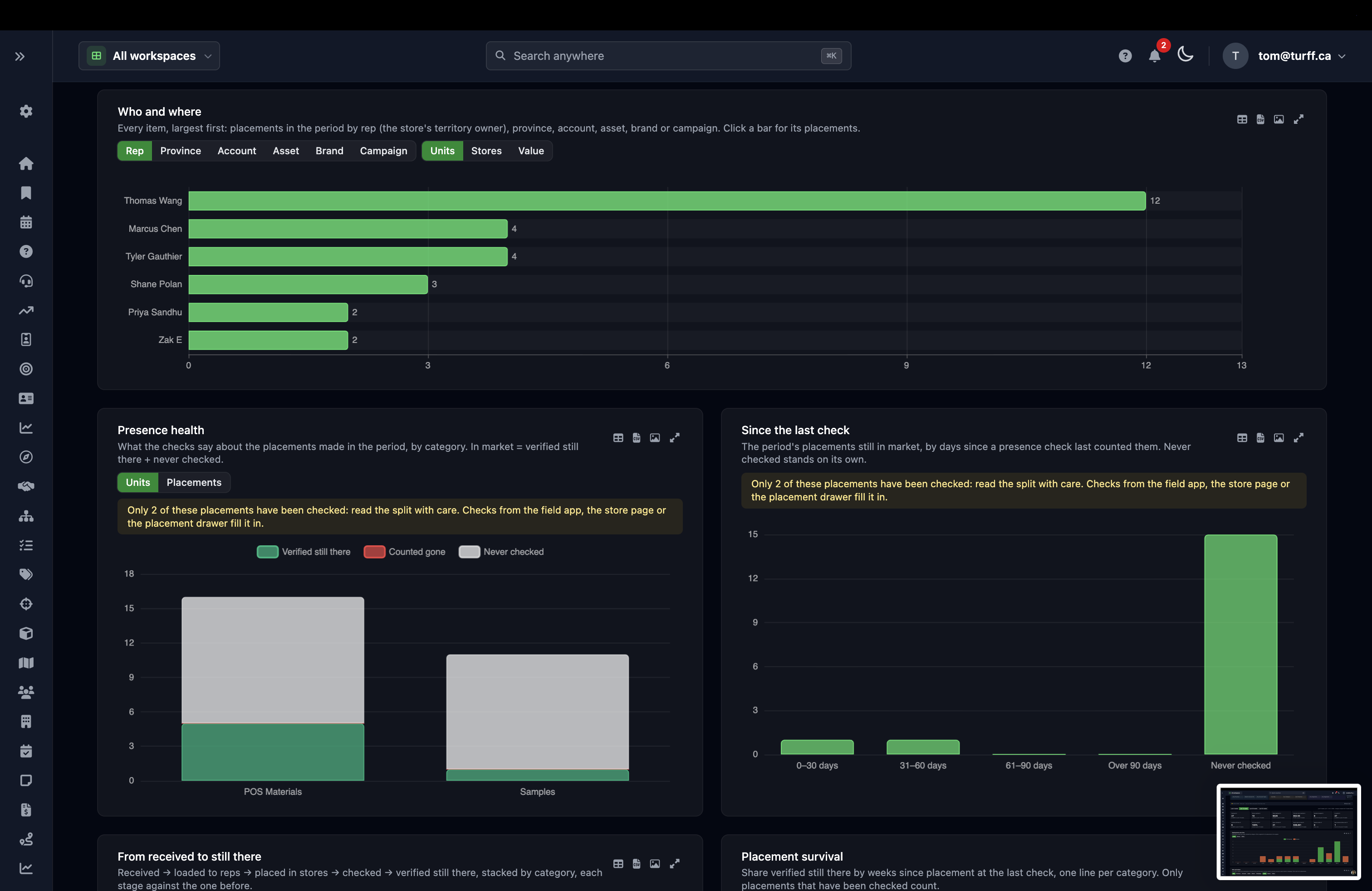
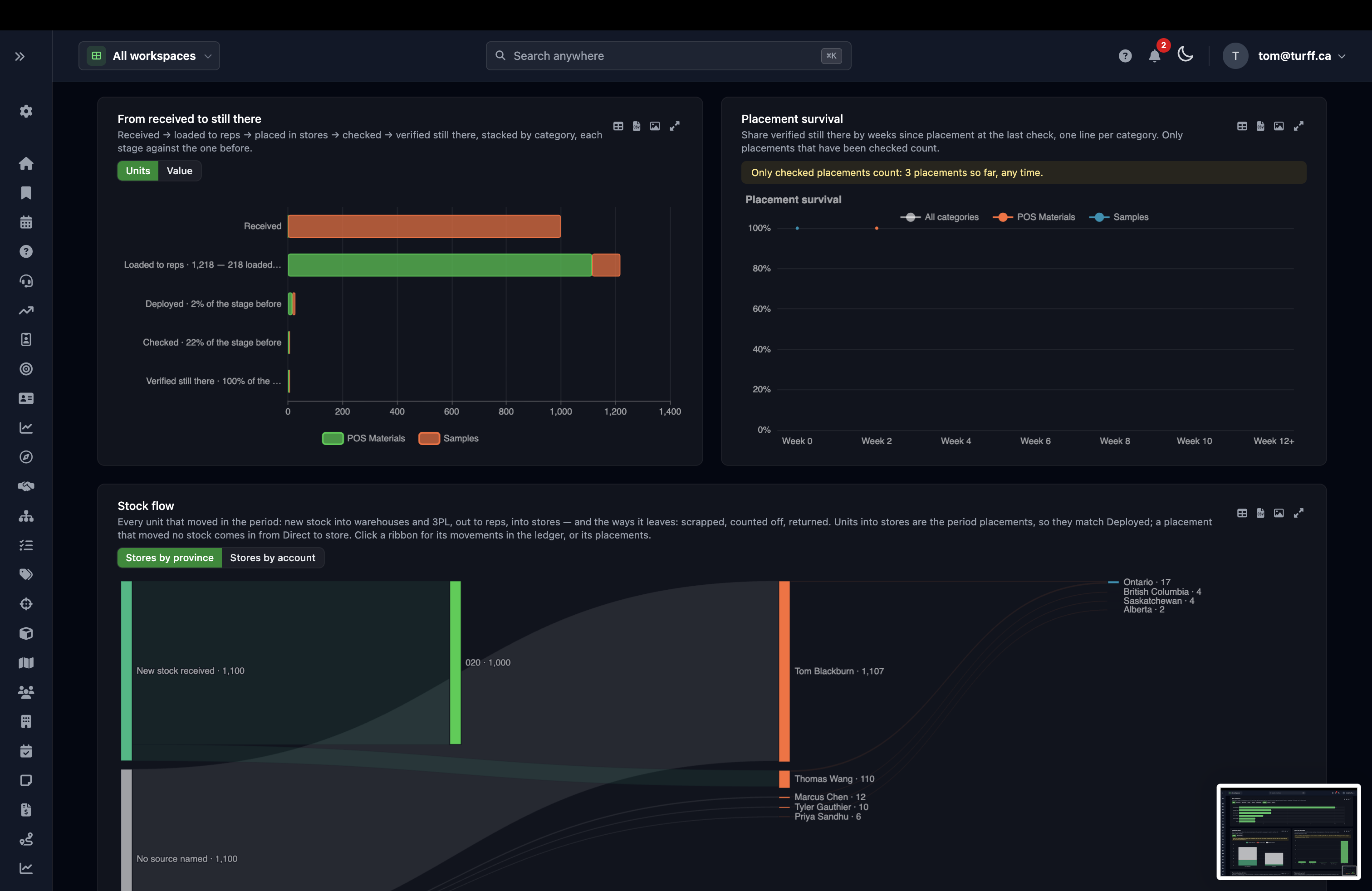
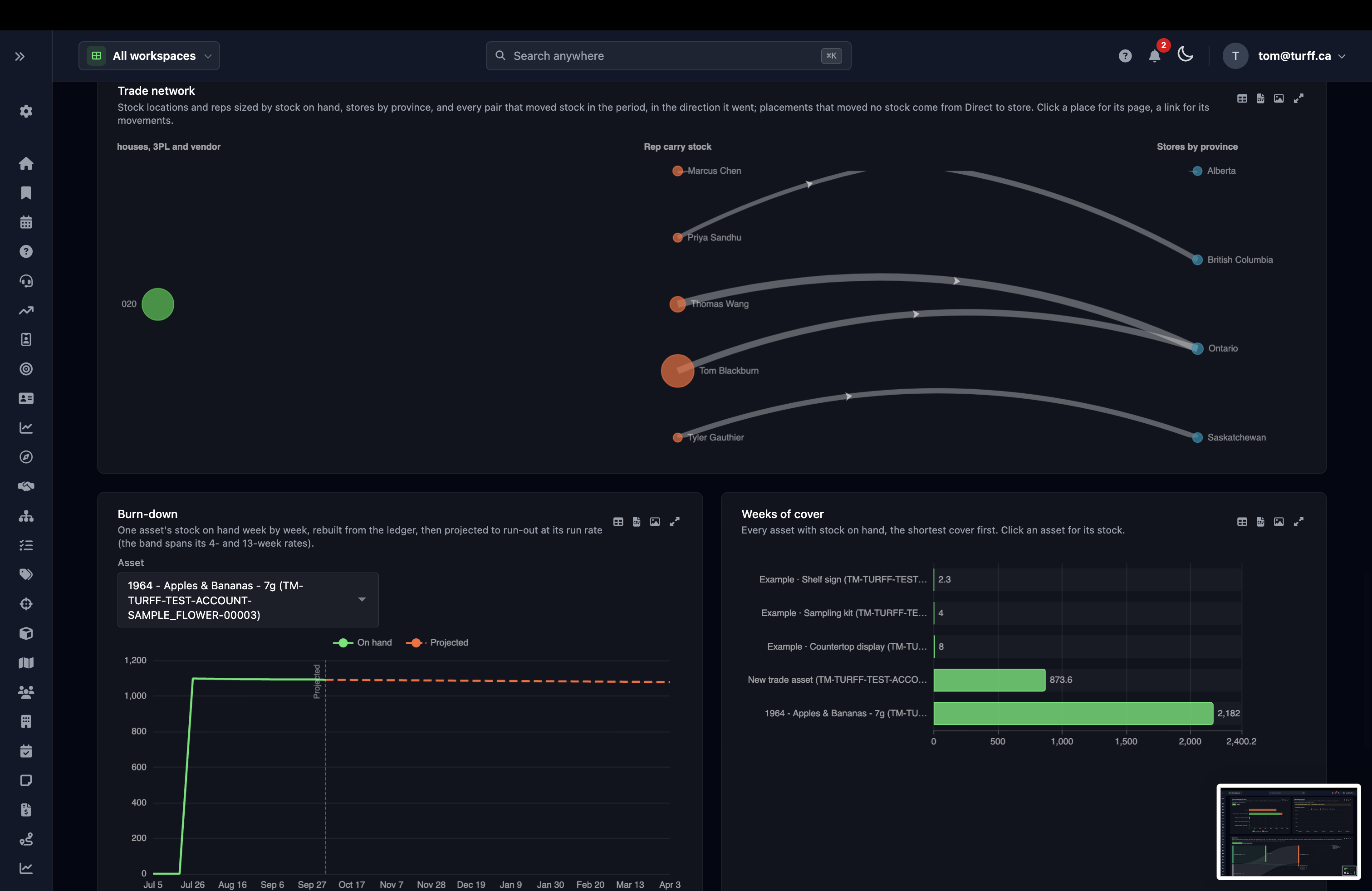
Available on Growth, Professional and Enterprise plans.
Competitive Intelligence, week by week Switch any tab between monthly and weekly, and pick last week, 4, 13 or 26 weeks against the period before. Weeks run Monday to Sunday and are labelled by week ending, so they line up with your weekly reports. Search for a brand to highlight it on every tab, sort Rank & Share by each brand's change, and download any chart as an image or share it as a link.
A new New Products view shows what just launched in your market: how fast each product is rolling out, how it's selling, how it's priced, and which stores listed it first.
New Products is available on Growth, Professional and Enterprise plans.
My Products: the full story on every SKU A product's Overview now shows its sales trend, sales by province, account and banner, wins and losses, and price against its subcategory. Top and lowest stores follow the period you pick, up to the last 12 months. A new Analytics tab shows your whole portfolio at once: what's growing, what's slipping, and your sales mix.
Key Account Programs: see where the money goes A new Spend tab in Program Analytics shows spend by type, spend per SKU across accounts, and spend as a percent of retail and revenue, by month, with an export. Sales reps don't see spend dollars.
Your field team Fix a visit after it's done. Reps can edit a completed visit for 7 days: update the summary, add or remove activities, and add photos. Every change is kept in the visit's history, so managers see who changed what, and a deleted visit can be restored. More photos, each with a caption. Visit activities, checklists, trade deploys, campaign kits and purchase receipts all take several photos now. Visit notes at a glance. Each visit rolls up its notes in one place, with an optional AI summary. A store note written during a visit links to it on its own. Talk it out, checked before it saves. On the Visit Finish page, the samples, promo lines and key account lines the AI picked up wait for the rep to confirm. Nothing is logged until they do. Download your visit notes. Export every visit note from My Visits, and every store and account note from the Notes page, as a CSV. Anyone can own a territory. Managers, admins and execs can own territories, plan routes and reserve stores, not just sales reps. Visit edits, captioned photos and visit notes are in Field Companion on the web now, and reach the Turff Field app with its next update.
Group by your own segments Your custom Account and Store Segments now work as a breakdown in Competitive Intelligence, the Executive Sales Report (By Channel and Marketing), Sales Force History and the Revenue Mix on My Provinces.
A bell for what's new A bell in the top bar collects your updates: exports ready, uploads processed, campaign and SPIFF changes, visits reviewed. Pick which ones you get in the app or by email from your profile.
Also new: Product Distribution shows every product across your reps in one table, contact imports let you review what will be added before anything saves, and Hazel can now read your Rep Scorecard, your targets and a whole visit with its activities and notes.
For retailers Your order follows you A new order bar sits at the bottom of Reorder, Inventory, Opportunities and Actions, with your budget, Optimize and Export always in reach. Build and trim the week's order without jumping between pages. On Reorder, Auto-generate order adds every suggestion in one click.
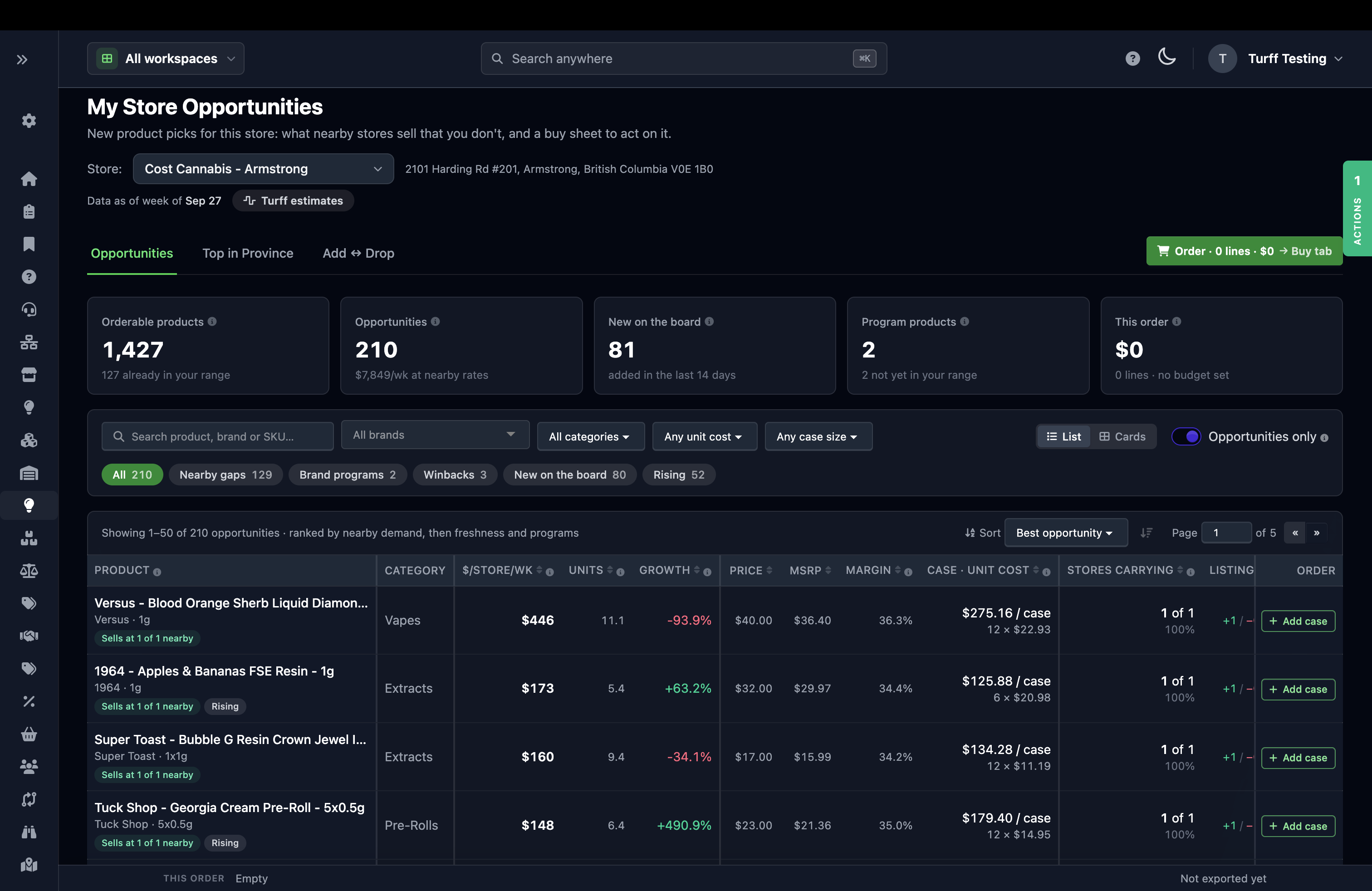
Order days, full cases and a budget on every order Set each store's order and delivery day in Team Admin › Ordering, and suggestions cover the days until the truck arrives. Orders round to full cases, with a threshold you control for partial cases. Set a budget per order and Optimize trims the order to fit, holding back what the shelf can carry until next time.
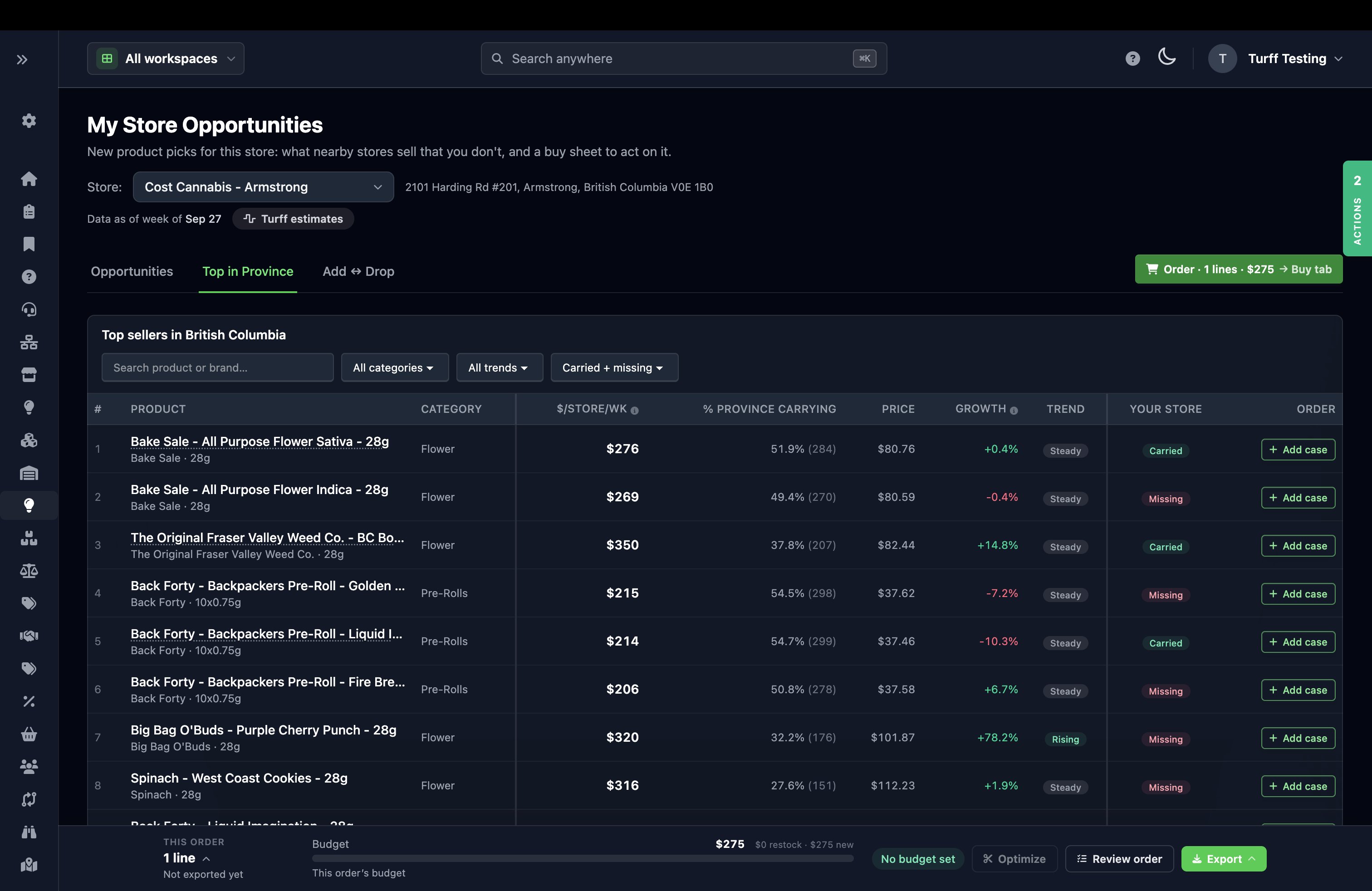
You can also keep products off your orders with a never-order list, protect brand program products from budget cuts, and see program products you committed to but haven't carried yet. Every sales rate can use the last 4 or 13 weeks per store, with a percent-of-days-in-stock number beside it so you know which rates to trust. Upload product rules in bulk, and the OCS export now fills in packs.
Check the order before you send it The Buy tab now opens with an order summary: totals, your mix against what sells, brands, weeks of cover, cost per line and how it compares to your last order.
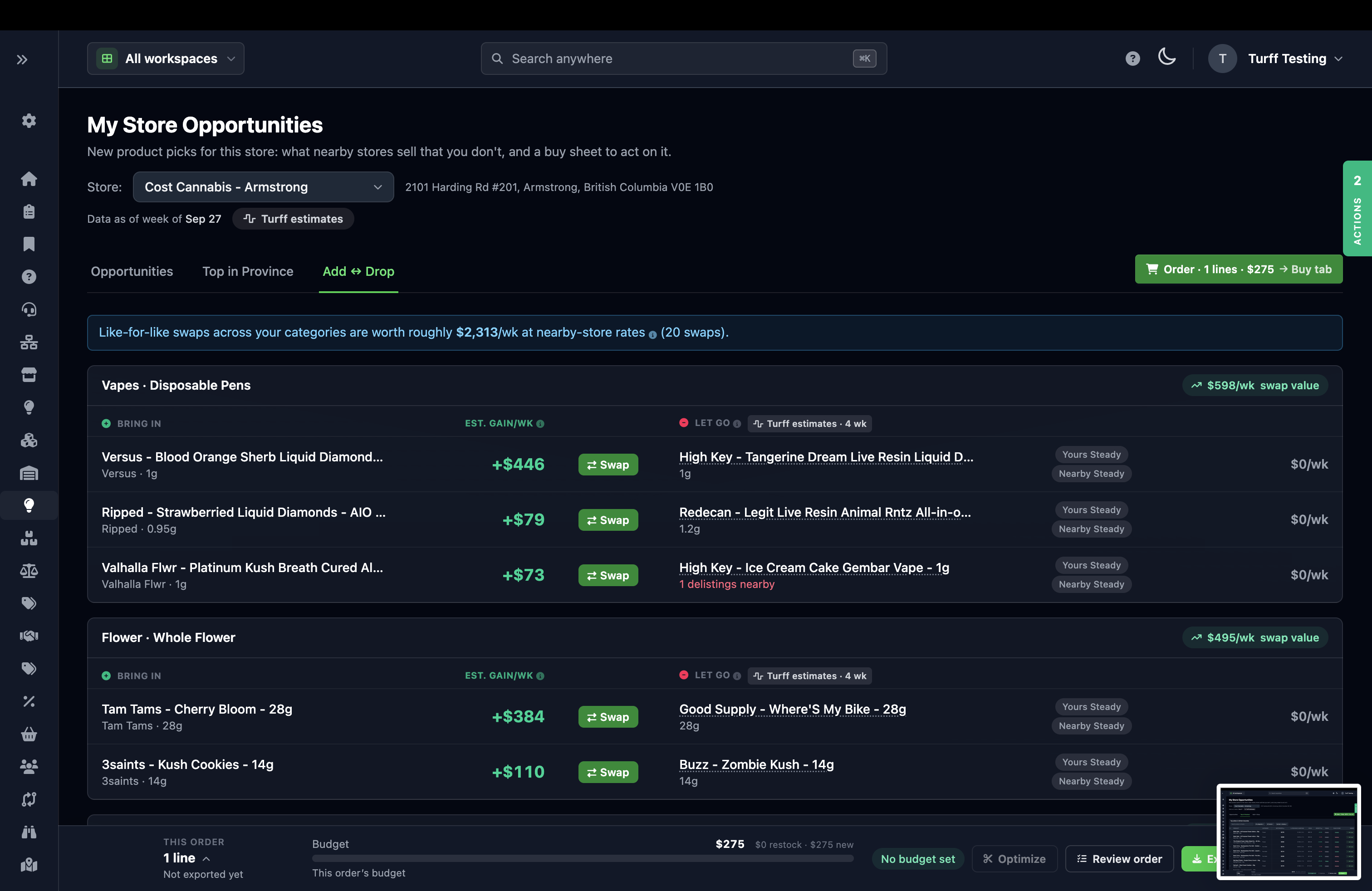
Browse everything you can order My Store Opportunities has a new Browse view with every product you can order, flagged where there's an opportunity. Switch between a list and cards with product images, open any product for the details, and add a case to your Buy sheet in one click.
Your columns, your sidebar Pick and order the columns on My Stores › Product, and they stay the way you left them. The sidebar is now grouped by the job you're doing: Overview, Buying, Pricing, Promotions & Programs, Performance, Market Intelligence and Data. Basket Analysis and Budtenders are now open to every retailer.
Everywhere Two-factor sign-in is required from October 8 From Thursday, October 8, every account needs two-factor sign-in. Add an authenticator app from your profile today, or sign in with Google or Microsoft, which already counts. The help docs now take the same sign-in, Google, Microsoft and two-factor codes included.
Connect Turff to Claude or ChatGPT A new Help guide walks you through connecting Turff to Claude or ChatGPT. Brands can now also update product costs, board price, strategy, targets and tags through the connector, once your team turns connector edits on.
Plus a round of fixes: filter dropdowns keep names whole while you search, and Hazel stays connected instead of dropping out.
Get the next update in your inbox
Product updates and cannabis market insights from the Turff team, a couple of times a month.